
To Change Your Google Password, Follow The Below Steps:
1. Navigate to gmail.com
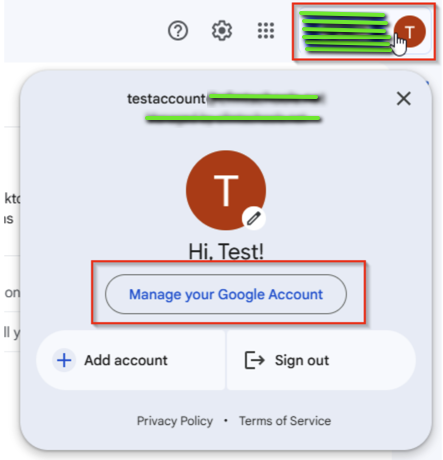
2. Click on your profile icon in the top right corner of your screen, then select “Manage your Google Account”

3. Next, select Security
4. Scroll down and select Password
5. Next, type a new password and select Change Password
 JUST406